
QuickSat2.0.4 - Get APK
You'll be able to download in few seconds.
Publisher Description
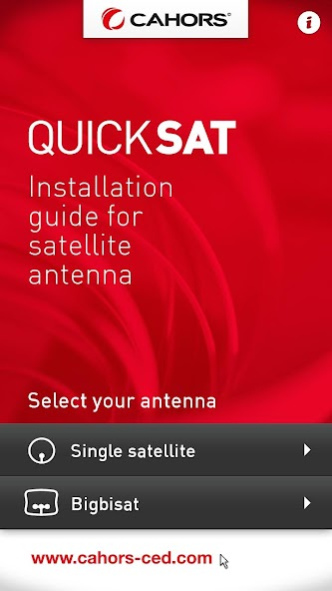
The app which simplifies the satellite!
_ _ _ _ _ _ _ _ _ _ _ _ _ _ _ _ _ _ _ _ _ _ _ _ _ _ _ _ _ _
CAHORS, manufacturer of satellite reception equipment for 25 years, has developed the QuickSat application to help you to install and align your Mono-reception and Multi-reception satellite antenna and to allow the reception of satellite television channels
This application guides you step by step while putting at your disposal several helpful tools to assist you with the installation and alignment of your antenna. QuickSat will also calculate the necessary adjustments!
_ _ _ _ _ _ _ _ _ _ _ _ _ _ _ _ _ _ _ _ _ _ _ _ _ _ _ _ _ _
The installation and the alignment of your antenna in 5 simple steps:
STEP 1: Choice of the type of antenna
> Mono-satellite: reception of 1 satellite
> Multi-satellite: reception of several satellites with BigBisat antenna only
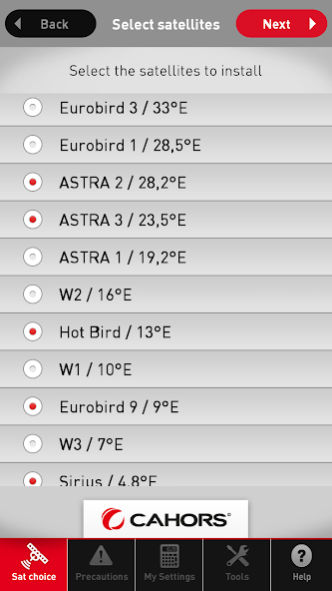
STEP 2: Choice of the satellite
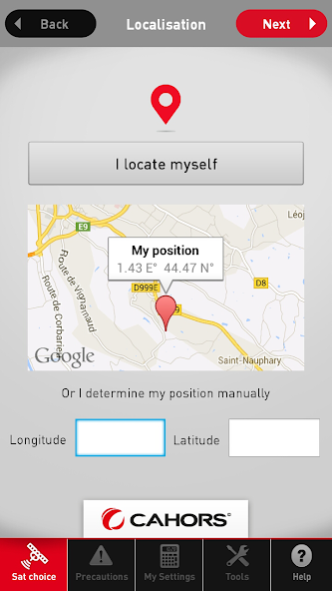
QuickSat proposes to you the list of satellites received in your area, this list is automatically filtered according to your geographical position. The list of the satellites is maintained up to date by our engineering department.
STEP 3: Precautions of installation
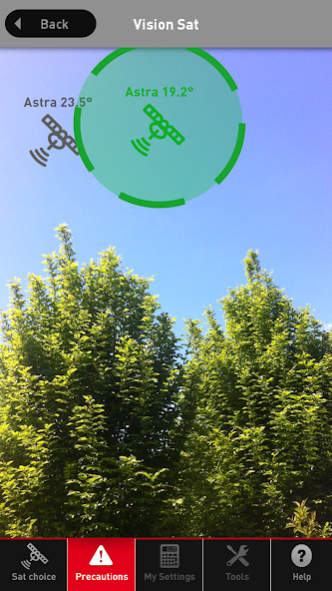
QuickSat explains you where and how to position your satellite antenna and provides 2 essential tools:
> VisionSat: with its calculation of increased reality this tools enables you to visualize the position of the satellites to be received! In order to assure you that the place chosen for the installation of your antenna is optimal.
> Tool “mast control”: allows checking that the support of your satellite antenna is installed correctly.
STEP 4: Calculations/ Results
QuickSat provides personalized information concerning the adjustment of your antenna:
> Antenna mono-satellite: Information of adjustment of the antenna: Elevation, Azimuth, Cross-polarization
> Multi-satellite antenna: in addition to the parameters of alignment of the antenna, QuickSat calculates the adjustment of the tilt angle and the exact position of each LNB. To align a BigBisat antenna becomes very simple then!
STEP 5: Toolbox: Checking of the mast - Elevation – Azimuth
Find all the QuickSat tools : mast control, VisionSat, simulation rise, azimuth
_ _ _ _ _ _ _ _ _ _ _ _ _ _ _ _ _ _ _ _ _ _ _ _ _ _ _ _ _ _
General Information:
This application requires the use of advanced functions of the Smartphone with a minimal quality of display; its operation can be faded on old generation Smartphones. QuickSat is compatible with all mono-satellite antennas; for the CAHORS antennas, Quicksat proposes more tools with exclusiveness of the alignment software for the BigBisat multi-satellite antenna.
About QuickSat
The company that develops QuickSat is SECOM - GMixon - Pixeliris. The latest version released by its developer is 2.0.4.
To install QuickSat on your Android device, just click the green Continue To App button above to start the installation process. The app is listed on our website since 2019-12-02 and was downloaded 0 times. We have already checked if the download link is safe, however for your own protection we recommend that you scan the downloaded app with your antivirus. Your antivirus may detect the QuickSat as malware as malware if the download link to com.gmixon.quicksat is broken.
How to install QuickSat on your Android device:
- Click on the Continue To App button on our website. This will redirect you to Google Play.
- Once the QuickSat is shown in the Google Play listing of your Android device, you can start its download and installation. Tap on the Install button located below the search bar and to the right of the app icon.
- A pop-up window with the permissions required by QuickSat will be shown. Click on Accept to continue the process.
- QuickSat will be downloaded onto your device, displaying a progress. Once the download completes, the installation will start and you'll get a notification after the installation is finished.
Program Details
System requirements
Download information
Pricing
Version History
version 2.0.4
posted on 2019-12-02
Thank you for your comments and thank you for using QuickSat!
This update is amending the most mentioned problems, including errors in Android 9 and 10.
version 2.0.3
posted on 2018-11-28
Add a fix on obtaining the country code
version 2.0.2
posted on 2017-06-13
Thank you for your comments and thank you for using QuickSat!
This update is amending the most mentioned problems, and offers improvements of the existing tools and adds new functions:
- Resolution of minor bugs and improvements of performances
version 2.0.0
posted on 2015-01-07
Thank you for your comments and thank you for using QuickSat!,This update is amending the most mentioned problems, and offers improvements of the existing tools and adds new functions:,- Improvement of the tool Vision Sat,- New function "manual Addition of satellites",- Correction of the calculations for the southern hemisphere,- Optimization of the display on new smartphones,- Resolution of minor bugs and improvements of performances
Disclaimer
External Download
We do not host QuickSat on our servers. We did not scan it for viruses, adware, spyware or other type of malware. This app is hosted by Galad and passed their terms and conditions to be listed there. We recommend caution when installing it.
The APK Download link for QuickSat is provided to you by apps112.com without any warranties, representations or guarantees of any kind, so access it at your own risk.
If you have questions regarding this particular app contact the publisher directly. For questions about the functionalities of apps112.com contact us.
